
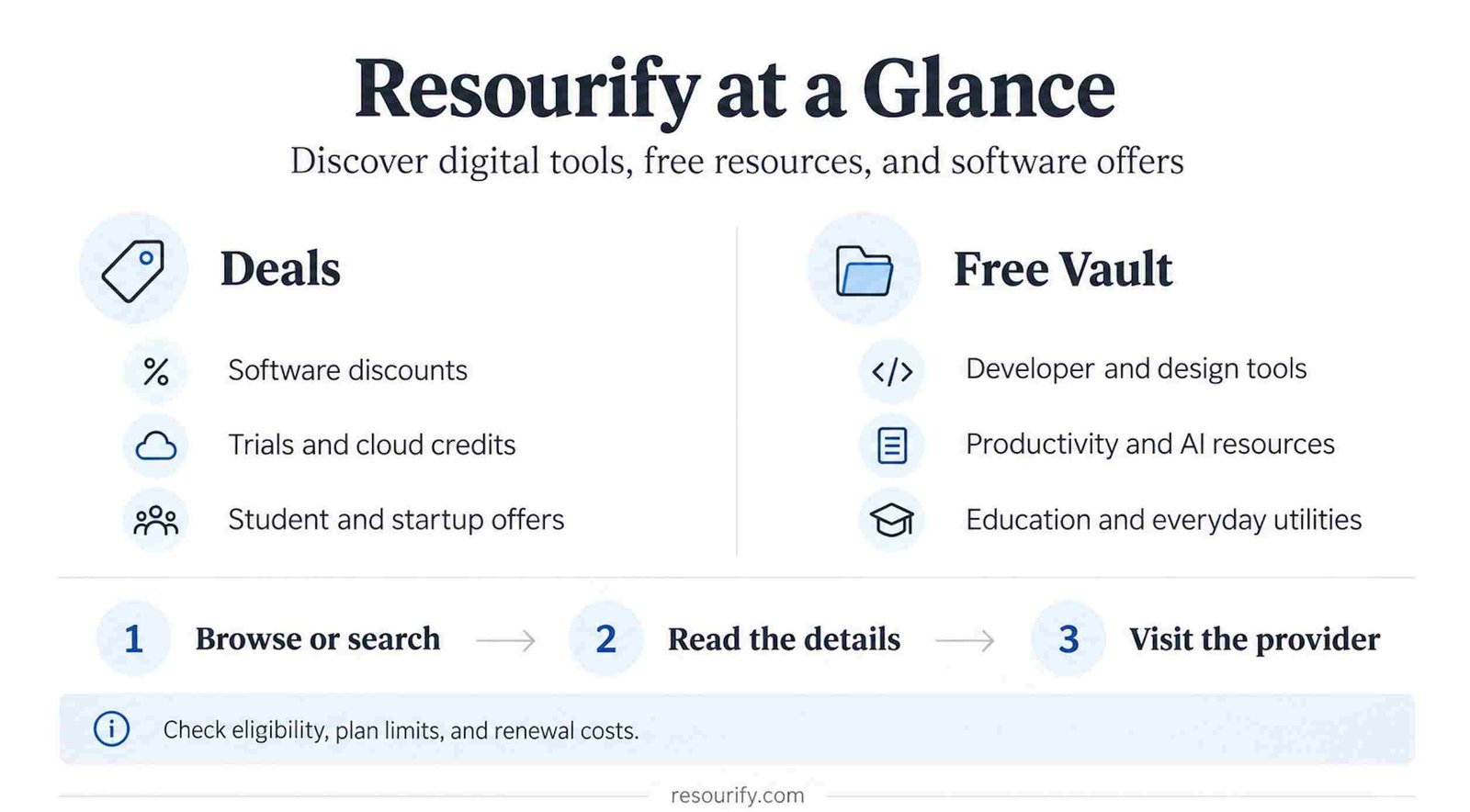
Resourify brings software offers and digital resources together in a searchable website. Its main section focuses on deals, while a separate Free Vault collects tools and services with free access options. You might arrive looking for a cheaper subscription and leave with a different product to investigate.
The useful distinction is between discovering an offer and actually using it. A listing can point you toward a product, but you still need to understand its limits, eligibility rules, and ongoing cost. This guide explains where to look, how to read the listings, and how to decide whether a resource fits your work. Start with a specific task, such as publishing a portfolio or finding a database for a practice app, and the site becomes easier to navigate.
What Is Resourify?
Resourify is a resource and deals discovery platform operated by Cloudfly Media. It acts as an intermediary: its terms say it does not sell subscriptions, process payments, or manage third-party accounts. Purchases and account arrangements happen with the relevant provider.
Its stated focus includes developers, creators, startups, and teams seeking software and infrastructure at a lower initial cost. The practical problem it addresses is scattered information: a cloud credit program, design subscription, and collaboration offer may otherwise require separate searches.
Think of it as a starting point for building a shortlist. Finding a listing is the beginning of evaluating a tool, especially if you plan to rely on it for client work or a business.
What Can You Find on Resourify?
Digital deals by topic
The current topic directory covers AI Tools & Platforms, Domains & Web Hosting, Productivity & Docs, Vibe Coding & Dev Tools, AI Media & Generators, Analytics & Product, Cloud Storage & Databases, Design & Creative, Media & Entertainment, Learning & Certifications, Marketing, Sales & CRM, and Legal, Finance & Ops.
These categories span different needs. Hosting and database offers concern running applications; productivity products help with documents and teamwork; creative tools support visual work. The learning category includes courses and training, while developer listings include AI coding products. “Vibe coding” here refers to tools for creating software with AI assistance.
The Free Vault
Free Vault has eight main groups: Development, Design, Productivity, AI Tools, Privacy & Security, Education, Media, and Utilities. Its entries include short descriptions, feature labels, and links to the services. Examples include GitHub Pages, Supabase, and Google Fonts Knowledge.
The pricing labels deserve attention. The directory mixes free software with free tiers and basic plans. A useful free entry does not necessarily include every feature of the associated product.
Different kinds of offers
Resourify’s editorial policy covers discounts, trials, student offers, promotional codes, referral offers, startup programs, and credits. These are different arrangements: a trial ends after a set period, a discount reduces a price, and credits cover eligible usage up to a limit. Read the offer type before comparing headline savings.
How Does Resourify Work?
The main site offers a deal search box, topic browsing, brand links, and feeds such as New Arrivals and Trending Deals. Free Vault has its own search field and category navigation.
A detailed deal page can include a description, redemption steps, benefits, eligibility requirements, and an external claim link. For example, the AWS listing explains who qualifies for credits and links to AWS; the Miro startup listing includes application instructions and provider terms.
How to Use Resourify?
- Decide what you need. Write down the job first: hosting a small website, organizing research, or preparing designs. This helps you ignore attractive offers for products you will not use.
- Choose the section. Use Deals when you want an offer on a service; choose Free Vault when you want to explore resources with a free option.
- Search or open a relevant topic. Try the product name if you already have one in mind. Otherwise, browse the category that matches your task.
- Read beyond the headline. On a deal page, check the claim steps and eligibility information. On a directory entry, open the provider’s page for the full feature and plan details.
- Confirm the terms with the provider. Check the applicable country, account requirements, billing period, renewal price, and any payment method requirement before signing up.
- Keep a short comparison. Save two or three candidates and note what each includes. If you start a trial, record its end date and cancellation instructions.
The site’s editorial guidance also recommends checking the final checkout price because promotions and eligibility can change.
Is Resourify Free to Use?
The public pages reviewed were accessible without payment. Its privacy policy says browsing does not require an account. That supports treating ordinary browsing as free, rather than assuming there is a paid membership required to see the listings.
Third-party products are a separate matter. A discounted subscription still costs money; a limited free plan may require an upgrade later. For a cloud service, compare your expected usage with its allowances. For a design asset, check the license for your intended use.
Resourify says some links earn it an affiliate commission when visitors sign up or buy, at no extra cost to the visitor. Its disclosure says these commissions help keep most content free. An affiliate relationship is useful context when evaluating a recommendation.
Who Is Resourify For?
Developers and students
Developers can use the coding category to investigate tools for building applications. Students working on a portfolio or class project can use the same discovery process, then check whether a listed product suits their course requirements and budget. Student-specific offers require separate eligibility checks.
Freelancers and creators
For a freelancer, the useful question is often whether a tool will support a particular paid project. Compare export options, file compatibility, and commercial permissions before choosing it. Creators can use the site’s design and media coverage to identify candidates for their workflow.
Startup founders and working professionals
Founders may find credit programs worth investigating before committing to new infrastructure. Professionals choosing shared software should also consider administration, collaboration, and the cost of adding colleagues. A low introductory price helps only if the product remains affordable as the team grows.
Age policies need care: the terms mention being 18 or having parental consent, while the privacy policy says the site is not intended for under-18s. Younger students should seek clarification from the site.
What Makes Resourify Useful?
Its main practical value is giving a search some direction. Browsing related listings can introduce an option you would not have searched for by name. A detailed eligibility section can also help you reject an unsuitable offer before spending time creating an account.
For example, a founder considering Miro can read the startup listing’s distinctions between application routes before checking the official program. That is more useful than treating the largest advertised credit as an automatic entitlement.
Resourify vs Searching for Tools Manually
Use Resourify when your question is broad: “What should I consider for this task?” A directory provides a manageable starting set and groups offers by topic.
Use a search engine when your question is specific: “Does this tool export my file format?” or “Can I use this plan for a commercial project?” Official documentation, provider pricing, and independent accounts of real use can answer questions that a short listing cannot.
The two approaches work well together. Discover a candidate, investigate its requirements, and compare it with alternatives. A popular listing is not enough evidence that a tool will fit your workflow.
Examples of Resources You Can Discover
GitHub Pages
Free Vault lists GitHub Pages alongside Actions. GitHub’s own Pages site explains that it publishes websites from a repository. A student or developer preparing a portfolio could discover it while browsing hosting options, then follow GitHub’s setup guidance. It is particularly relevant to a project made from static website files.
Supabase
Supabase appears in Free Vault’s development section. The provider describes a platform built around a Postgres database, with authentication, storage, and APIs available alongside it. A developer prototyping an application might discover it while looking for backend services. Compare its current plan limits with the amount of data and traffic your project needs.
AWS Free Tier
Resourify has a dedicated AWS Free Tier listing with a credit offer and redemption guidance. AWS’s official page advertises up to $200 in credits for new customers. This can interest someone learning cloud services, but “up to” matters: review how credits are earned, what they cover, and the chosen plan’s conditions.
Miro Startup Program
Miro provides a visual workspace for collaborative planning. Resourify’s startup listing directs founders toward its credit program and distinguishes eligibility routes. A small team planning a product could discover the offer through the productivity category, then use Miro’s official application information to assess whether it qualifies.
Pros and Cons of Resourify
Pros
- Topic browsing gives an unfamiliar visitor a clear starting point.
- Free resources and promotional offers support different budget needs.
- Detailed listings can surface eligibility requirements before signup.
- Published editorial and affiliate policies explain the site’s stated approach to offers and funding.
Cons
- Offers can change before a listing is updated; the site acknowledges this limitation.
- As an editorial observation, short directory entries are insufficient for judging reliability, licensing, or long-term suitability.
- Free tiers, trials, and discounts require different comparisons; the word “free” alone does not establish the eventual cost.
- Some listings use affiliate links, so readers should consider the site’s commercial relationships alongside the product details.
Is Resourify Safe?
A directory listing cannot establish that every linked service is secure. Resourify publishes its own privacy and editorial policies, but those policies are not an independent security audit of the products it lists.
Its role is to publish information and links. Its terms place third-party transactions with the provider, whose terms and privacy practices apply after you leave the site.
Before creating an account, check the destination address, requested permissions, privacy policy, and cancellation process. If an unfamiliar tool asks you to upload confidential work or connect a business account, investigate that provider first. The relevant question is what access you are granting and whether the service needs it.
Is Resourify Worth Using?
Resourify may be useful when you need a starting list of software or want to investigate an offer before paying. It is especially relevant when you have enough flexibility to consider more than one product.
Its value is smaller when your requirements are already fixed and you mainly need technical documentation or a binding price. In that situation, go straight to the provider. Measure the usefulness of a discovery site by whether it helps you find a suitable option, not by how many promotions you open.
Final Thoughts
Start with a problem you actually need to solve and give yourself a small shortlist. Resourify can help you discover candidates and offers; the final choice depends on your requirements, the provider’s current conditions, and what happens after any promotion ends.
A resource that saves you setup time or fits comfortably within your budget is worth keeping. An impressive discount on something you do not need can be left alone.